The Flowtime Technique: How It Works vs Pomodoro
Short answer
The Flowtime Technique is a count-up alternative to Pomodoro: write down one task, note the start time, work on only that task until you feel you need a break, then take a break sized to how long you worked. Zoë Read-Bivens described it in a 2016 Medium post and suggested 5 minutes after up to 25 minutes of work, 8 after 25 to 50, 10 after 50 to 90 and 15 after more than 90. The one experiment that tested it against Pomodoro found no overall difference in fatigue, motivation, productivity, task completion or flow.
Key takeaways
- Flowtime has no countdown: you record a start time, work on one written-down task, and stop when your focus fades.
- The original 2016 post suggests breaks of 5, 8, 10 and 15 minutes for work stretches of under 25, 25 to 50, 50 to 90 and over 90 minutes, and says these are not rules.
- The only fixed rule in the original is unitasking: you may not switch tasks until you have written a stop time.
- In a 2025 experiment with 94 students, Flowtime, Pomodoro and self-chosen breaks produced no overall differences in fatigue, motivation, productivity, task completion or flow.
- A 2023 study found students who chose their own break times reported more fatigue and less concentration than students on fixed schedules, which is the main risk of Flowtime.
- Flowtime suits work that takes a while to load into your head; Pomodoro suits tasks you are avoiding and people who skip breaks.
The Flowtime Technique is a way to time focused work without a countdown. You write down one task, note the time you start, work on only that task until you feel your focus fading, then take a break whose length depends on how long you worked. It was written up in 2016 as a fix for the main complaint about the Pomodoro Technique, which is that the bell rings just as you get going. The one experiment that has compared the two found no clear winner, so the choice comes down to the task and to how well you notice your own tiredness.
Show the numbers
| Schedule in minutes | |
|---|---|
| Pomodoro 25/5 | 25 focus, 5 short break, 25 focus, 5 short break, 25 focus, 5 short break, 25 focus, 15 long break, 20 focus |
| Flowtime, one possible morning | 42 focus, 8 short break, 68 focus, 10 short break, 22 focus |
Source: Example schedule
If you only want to try it, open the Flowtime timer, type one task on a sticky note and press start. The rest of this guide covers where the method came from, what its author really proposed, and what the research says.
What is the Flowtime Technique?
It is a time log with one rule and a break table. The method comes from a Medium post titled "The Flowtime Technique", first published in August 2016 with the subtitle "Abandoning Pomodoros Part 2". The post sits under the account name Urgent Pigeon; later write-ups, including Zapier's guide, name the author as Zoë Read-Bivens.
She wrote that she had "all kinds of problems with the Pomodoro Technique" and wanted something that kept its three useful parts: tracking time, encouraging single-tasking and enabling breaks. Her version is a table with six columns:
| Column | What goes in it |
|---|---|
| Task | One specific task with an end in sight |
| Start | The clock time you begin |
| Stop | The clock time you stop |
| Interruption | A mark each time you are pulled away |
| Work time | Minutes worked, filled in whenever you like |
| Break time | The break you expect to take |
The instructions in the post, in order:
- Pick a specific task. If it has no end in sight, set your sights a little shorter.
- Start working and write down the start time. Do not set a timer.
- Work on that task only. You cannot switch until you have written a stop time.
- Stop when you need to. If your attention is slipping, or you are tired or frustrated, take a break. She advises taking breaks more often than you think you need at first, because "it takes time to learn" what needing a break feels like.
- Write the stop time, choose a break length and set a timer for the break.
- Repeat, and use the log later to see when you work best.
This is the ONE Hard Fast Rule of the Flowtime Technique: Unitasking
That rule matters more than the timing. The cost of switching between tasks is the thing both Flowtime and Pomodoro are built to avoid.
How long are Flowtime breaks?
The original post gives four bands. In her words she was "going with" 5 minutes for less than about 25 minutes of work, 8 minutes for around 25 to 50, 10 minutes for around 50 to 90, and 15 minutes for more than that.
| You worked for | Suggested break |
|---|---|
| Up to 25 minutes | 5 minutes |
| 25 to 50 minutes | 8 minutes |
| 50 to 90 minutes | 10 minutes |
| More than 90 minutes | 15 minutes |
She then loosens it straight away. Ten minutes after 40 minutes of work is fine, she writes, and it is better to take a longer break than to wear yourself out with tiny ones.
Flowtime or Flowmodoro?
You will also see the name Flowmodoro. The idea is the same, and the 2025 study discussed below treats the two names as one technique. The difference is usually the break rule. Apps built around the Flowmodoro name tend to divide your work time by five: Flowmo, for example, describes its timer as "Work x minutes, take x/5 minutes break".
The two rules agree for short stretches and drift apart for long ones.
Show the numbers
| Minutes worked | Original Flowtime bands | Work time divided by 5 |
|---|---|---|
| 20 | 5 min | 4 min |
| 40 | 8 min | 8 min |
| 60 | 10 min | 12 min |
| 90 | 10 min | 18 min |
| 120 | 15 min | 24 min |
Source: Arithmetic on the two published rules, not measured data
Neither rule has been tested against the other. If you tend to push through for two hours, the divide-by-five rule gives you the more honest rest.
the year the Flowtime Technique was first written up, in a Medium post subtitled "Abandoning Pomodoros Part 2".
The Flowtime Technique, 2016break lengths in the original: 5, 8, 10 and 15 minutes, chosen by how long you worked.
The Flowtime Technique, 2016students in the only experiment that has tested Flowtime against Pomodoro, 33 of them on Flowtime.
Smits, Wenzel and de Bruin, 2025Flowtime technique vs Pomodoro: what is the difference?
Pomodoro fixes both the work and the break. Flowtime fixes neither, and only suggests the break. Everything else follows from that.
| Pomodoro | Flowtime | |
|---|---|---|
| Timer | Counts down, usually 25 minutes | Counts up, no limit |
| Who decides when to stop | The bell | You |
| Break length | Fixed, usually 5 minutes, longer after four rounds | Scaled to how long you worked |
| What you record | Rounds completed | Start, stop, interruptions, minutes |
| Hardest part | Stopping mid-thought | Noticing that you need a break |
| Works in a group | Yes, everyone stops together | Awkward, everyone stops at different times |
The case for Flowtime is the one its author made: "With Flowtime you never interrupt flow with a mandatory break." If a task takes ten minutes to load into your head, a 25 minute round gives you 15 minutes of real work. Our guide to flow state covers what flow is and why interruptions are costly, and the Pomodoro Technique guide covers the other side.
The case against is that Flowtime hands the hardest decision back to you. A fixed timer makes starting cheap ("only 25 minutes") and makes breaks compulsory. Flowtime does neither. If your problem is getting started at all, an open-ended block is not much help.
 Flow State: How to Get Into It and What Breaks It
Does the Flowtime Technique work? What the research says
There is one direct test, and it is small.
Smits, Wenzel and de Bruin (2025) at Maastricht University gave 94 students a two-hour session of their own coursework under one of three instructions: breaks whenever and for as long as they liked (25 students), Pomodoro with 5 minutes off after every 25 (36 students), or Flowtime (33 students). The Flowtime group chose when to stop and were given a 5 minute break after 25 minutes or less, 8 minutes after 25 to 50, and 10 minutes after more than 50.
The researchers expected the two structured methods to beat free choice on motivation, productivity, fatigue and task completion, and expected more flow with self-chosen and Flowtime breaks than with Pomodoro. Neither happened:
- No overall differences between the three groups in motivation, fatigue, productivity, share of planned tasks completed, or flow.
- Fatigue rose faster during the session in the Pomodoro group.
- Motivation fell faster in both the Pomodoro and the Flowtime groups than in the free-choice group.
The paper's table of averages shows how close the groups were. Flow was rated on a scale from 1 to 7, and all three groups landed near the middle.
Show the numbers
| Break method | Flow rating (1 to 7) |
|---|---|
| Self-chosen breaks (25 students) | 4.22 |
| Pomodoro 25/5 (36 students) | 4.1 |
| Flowtime (33 students) | 3.98 |
The same table shows what Flowtime changed in practice: fewer stops. Total break time was nearly identical, about 18 minutes for the free-choice and Flowtime groups and about 20 for Pomodoro.
Show the numbers
| Break method | Breaks in two hours |
|---|---|
| Self-chosen breaks | 3.04 breaks |
| Pomodoro 25/5 | 4 breaks |
| Flowtime | 2.82 breaks |
Read the limits before leaning on this. The authors note that the sample was small, about 93% women and all psychology students, that nobody could check whether students followed their instructions at home, and that flow was low in every group, which leaves little room to see a difference.
An earlier study points at Flowtime's weak spot. Biwer and colleagues (2023) had 87 Dutch students study for a day with either self-chosen breaks or fixed ones (6 minutes after every 24, or 3 after every 12). Students who chose their own break times studied and rested for longer stretches, and reported more fatigue and distraction and less concentration and motivation. Task completion was the same. That study did not test Flowtime, but half of Flowtime is exactly that: deciding for yourself when to stop.
What you can fairly take from both: no method has been shown to get more done, people are not reliably good at knowing when they need a break, and a rule for break length does not by itself fix that. Our guide on how long to study before a break goes through the wider evidence.
When should you use Flowtime, and when Pomodoro?
Choose by the task, then by what usually goes wrong for you.
- Writing, coding, design, proofs, long reading: Flowtime, or a long fixed block. These take time to load, and the bell costs you more than it gives. See deep work sessions for planning long blocks.
- Something you have been avoiding: Pomodoro. A short countdown is a smaller promise.
- Admin, flashcards, small chores: Pomodoro. Nothing is lost when the bell rings.
- You forget to take breaks: Pomodoro, or Flowtime with a hard cap of 90 minutes.
- You stop the moment it gets hard: Pomodoro. In Flowtime, "I need a break" and "this is difficult" feel the same at first.
- Working alongside other people: a fixed timer, so breaks line up.
Flowtime or Pomodoro for this task?
Three questions about the work in front of you. It applies the rules of thumb above and is a starting point to test, not a diagnosis.
Your result
Use a fixed timer
Start with 25 minutes on and 5 off on the Pomodoro timer. If 25 keeps cutting you off once you are going, try 50/10 before you drop the timer altogether. The options are compared in Pomodoro intervals.
Your result
Try Flowtime with a cap
Count up, but agree a ceiling with yourself: stop by 50 minutes for the first week. You get the freedom to finish a thought and still take a break every hour.
Your result
Use Flowtime
Write the task down, start the Flowtime timer and stop when your focus drops. Keep the log for a week, because the pattern in your own numbers is the real payoff.
How to do the Flowtime Technique, step by step
You need a way to see the time, something to write on and a timer for breaks.
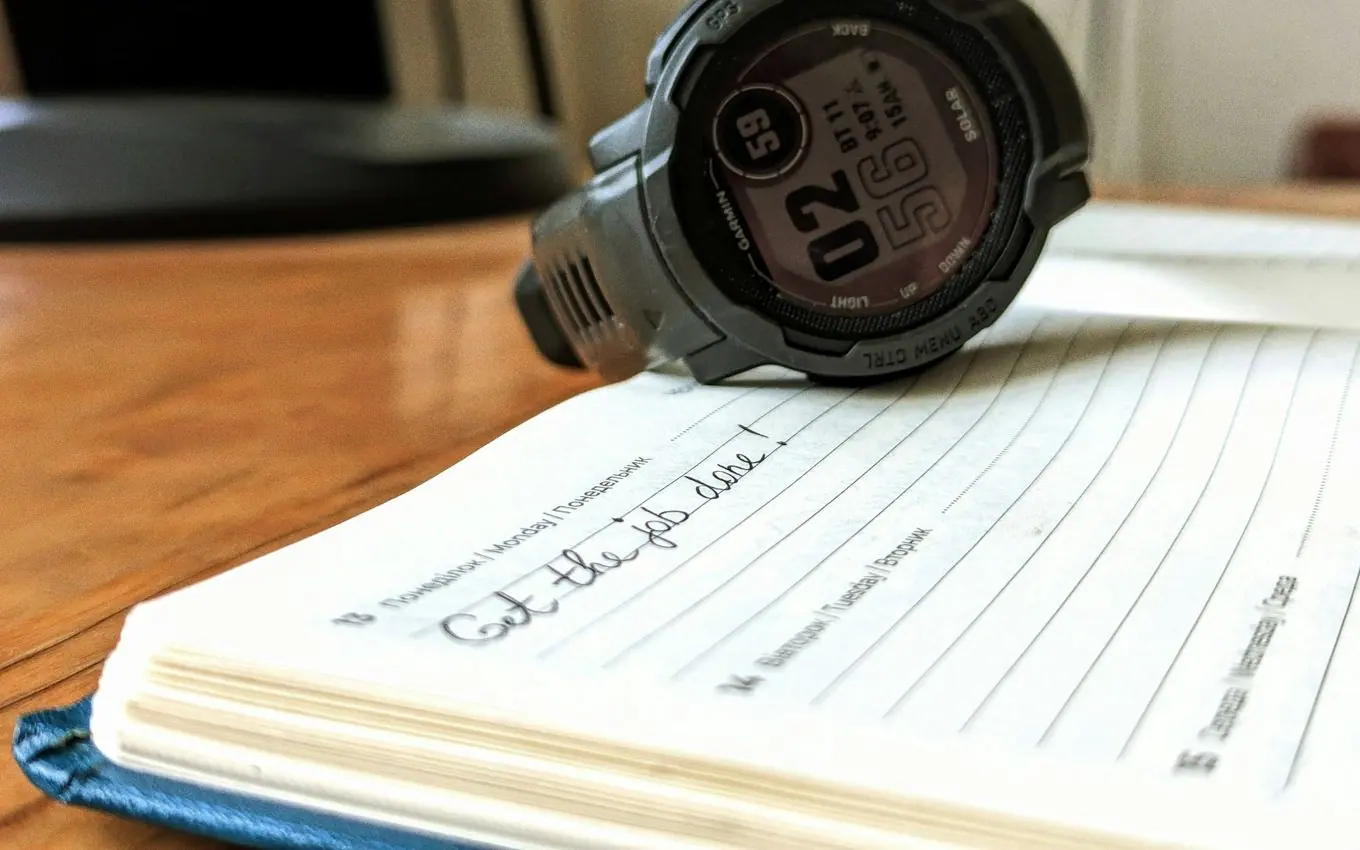
- Write one task with a visible end. "Draft the methods section", not "work on thesis".
- Remove the obvious interruptions before you start, beginning with your phone.
- Note the start time, or start a count-up timer. Then work on that task only.
- Stop when you notice one of these: you have reread the same line three times, you are reaching for another tab, or you are stuck and getting irritated.
- Write the stop time and work out the minutes.
- Set a countdown for the break from the table above, and leave the desk. What you do in it matters, and break ideas that restore you are covered separately.
- Mark interruptions as they happen and carry on. Do not restart the block.
- At the end of the day, read the log. Look for your usual stretch and the time of day when the stretches are longest.
Here is a log you can paste into a notes app or spreadsheet.
Task | Start | Stop | Interrupted? | Work min | Break min
Draft intro | 09:10 | 09:52 | no | 42 | 8
Draft intro | 10:00 | 11:08 | once | 68 | 10
Reply to supervisor | 11:18 | 11:40 | no | 22 | 5
After a week the log answers the question this whole topic turns on. If your stretches cluster around 40 minutes, a fixed 40/8 timer would serve you just as well. If they swing between 20 and 90 depending on the task, Flowtime is doing real work for you.
Your first Flowtime week
Tick these off as you go. Ticks are saved in this browser.
Flowtime technique timer, app or website: what do you need?
Very little. In rough order of effort:
- Paper or a spreadsheet. This is what the original post shows, and it is still the version that produces the most useful log.
- A count-up timer that suggests the break. Our Flowtime timer runs in the browser tab, counts up and proposes a break length from how long you worked. No sign-up.
- A plain stopwatch with a session log. The study timer does this and keeps a daily total, if you would sooner choose break lengths yourself.
- A dedicated Flowmodoro app. As of November 2026, Flowmo describes itself as a Flowmodoro app with a count-up timer, a task list and daily, weekly and yearly stats. Its site offers a free start and lists mobile apps and a pricing page; we did not check what the paid tier costs.
- A time tracker you already use. Zapier's guide suggests Toggl Track for this. As of November 2026, Toggl's own page says its Free plan is free forever and that timed sessions are logged against tasks and projects, which gives you the Flowtime log without the break suggestions.
If you decide a fixed timer suits you better after all, the best Pomodoro timer apps are compared in their own guide.
Flowtime technique in Notion
Notion has no stopwatch of its own, but it makes a good Flowtime log because a formula can do the arithmetic. Create a database with a Task title, two date properties with time included (Start and Stop), and two formula properties. Notion's formula reference documents dateBetween, which accepts "minutes" as a unit, and ifs, which returns the value for the first condition that is true.
Work min (formula):
dateBetween(prop("Stop"), prop("Start"), "minutes")

Break min (formula):
ifs(prop("Work min") <= 25, 5, prop("Work min") <= 50, 8, prop("Work min") <= 90, 10, 15)
Fill in Stop when you finish a stretch and the break length appears. Ready-made Flowtime templates for Notion are shared and sold online; we have not tested any, and the two formulas above are all a basic log needs.
Is Flowtime a good study technique?
For some study tasks, yes. The one experiment on it used students doing their own coursework, and it did no worse than Pomodoro or free choice.
It fits essay drafting, problem sets, coding assignments and dense reading, where a stretch of 40 to 70 minutes lets you hold an argument in your head. It fits poorly with flashcards, past-paper questions and anything you are dreading. For those, Pomodoro for studying has a round-by-round plan, and if getting started is the main problem, shorter rounds are the usual advice in our guide to Pomodoro with ADHD.
A workable mix for a study day: one or two Flowtime stretches in the morning for the hardest thinking, then fixed 25 minute rounds in the afternoon for recall practice. If you plan your day in advance, give the Flowtime work a generous slot when you block out your time, because you cannot know in advance when a stretch will end.
 Best Pomodoro Intervals: 25/5 vs 50/10 vs 52/17 vs 90
Can you use Flowtime in a group?
Not easily. Flowtime is personal by design: each person stops at a different minute, so breaks never line up and nobody can chat without interrupting someone.
Work Club takes the other approach. Everyone in a room shares one countdown, 25 minutes of focus and a 5 minute break by default with a 15 minute long break after every fourth round, and the room can change those lengths. Chat is locked during focus and opens on breaks. It is a shared Pomodoro timer, not a count-up Flowtime timer, so it suits the sessions where company matters more than open-ended blocks.
A sensible split is Flowtime alone for your deepest task of the day, and a fixed timer with friends for the hours when you would otherwise drift.
Common questions
What is the Flowtime Technique?
It is a way of timing work without a countdown. You write down one task and the time you start, work on only that task until you feel you need a break, write down the stop time, and take a break whose length depends on how long you worked. It was described by Zoë Read-Bivens in a 2016 Medium post as an alternative to the Pomodoro Technique.
How long should Flowtime breaks be?
The original post suggests 5 minutes after less than about 25 minutes of work, 8 minutes after 25 to 50, 10 minutes after 50 to 90, and 15 minutes after more than 90. The author says plainly that these are suggestions and that a longer break is fine if you need it.
Is Flowtime better than Pomodoro?
Nobody has shown that it is. The one study that compared them, with 94 university students in 2025, found no overall differences in fatigue, motivation, productivity, task completion or flow. Flowtime tends to suit long thinking tasks, and Pomodoro tends to suit tasks you are putting off.
What is the difference between Flowtime and Flowmodoro?
They are the same idea with different break rules. Flowtime, as first described, uses four break lengths by band. Apps that call the method Flowmodoro usually divide your work time by five, so 50 minutes of work earns a 10 minute break.
Do I need an app for the Flowtime Technique?
No. The original version is a six-column table kept on paper or in a spreadsheet, plus any timer for the break. A count-up timer that suggests the break for you saves the arithmetic.
Can I use Flowtime for studying?
Yes, and the only experiment on it was run with students doing their own coursework. It fits essays, problem sets and reading that needs long stretches. For revision you are avoiding, a short fixed timer is usually easier to start.
Sources
- The Flowtime Technique, Medium (Urgent Pigeon; the author is named elsewhere as Zoë Read-Bivens) (2016)
- How to use the Flowtime Technique to boost your productivity, Zapier (2023)
- Investigating the Effectiveness of Self-Regulated, Pomodoro, and Flowtime Break-Taking Techniques Among Students, Behavioral Sciences (MDPI), full text on PubMed Central (2025)
- Understanding effort regulation: Comparing 'Pomodoro' breaks and self-regulated breaks, British Journal of Educational Psychology (2023)
- Flowmo | Flowmodoro App Helping You Enter Flow State, Flowmo (2026)
- Notion formula syntax & functions, Notion Help Center (2026)
- Free Pomodoro Timer | Toggl, Toggl (2026)
Published 14 November 2026. Last checked and updated 14 November 2026. See how these guides are written.